@Lightfield in Slack, new prospect lists, sequence sender selection
Keith Peiris & Henri Liriani
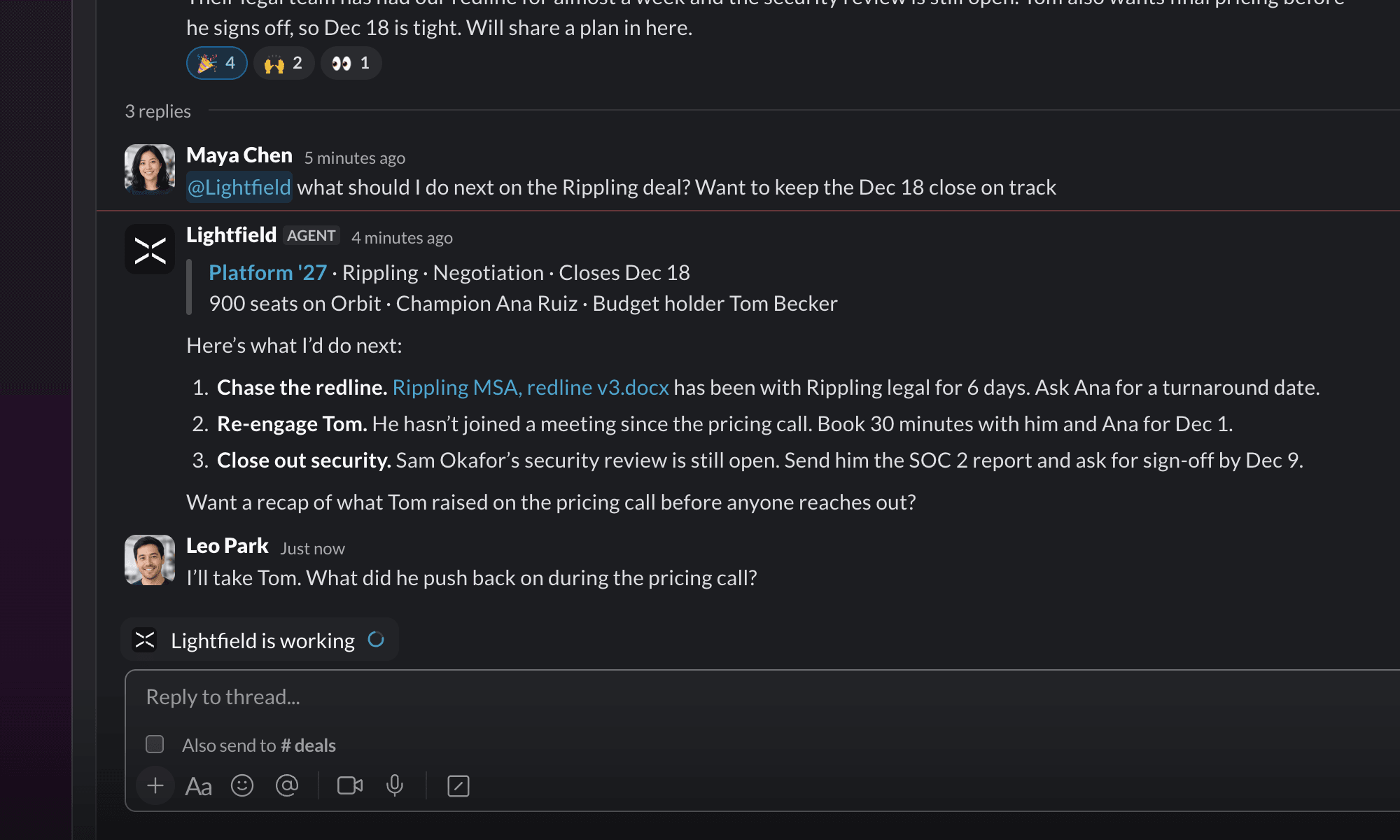
Mention @Lightfield in Slack
Ask a CRM questions where your team is already talking. Try “@Lightfield, what’s the latest on the Acme renewal?” Lightfield replies in the thread using information everyone in your Lightfield workspace can access. This requires a paid Slack plan. Connect your workspace and personal account in Settings → Integrations → Slack.
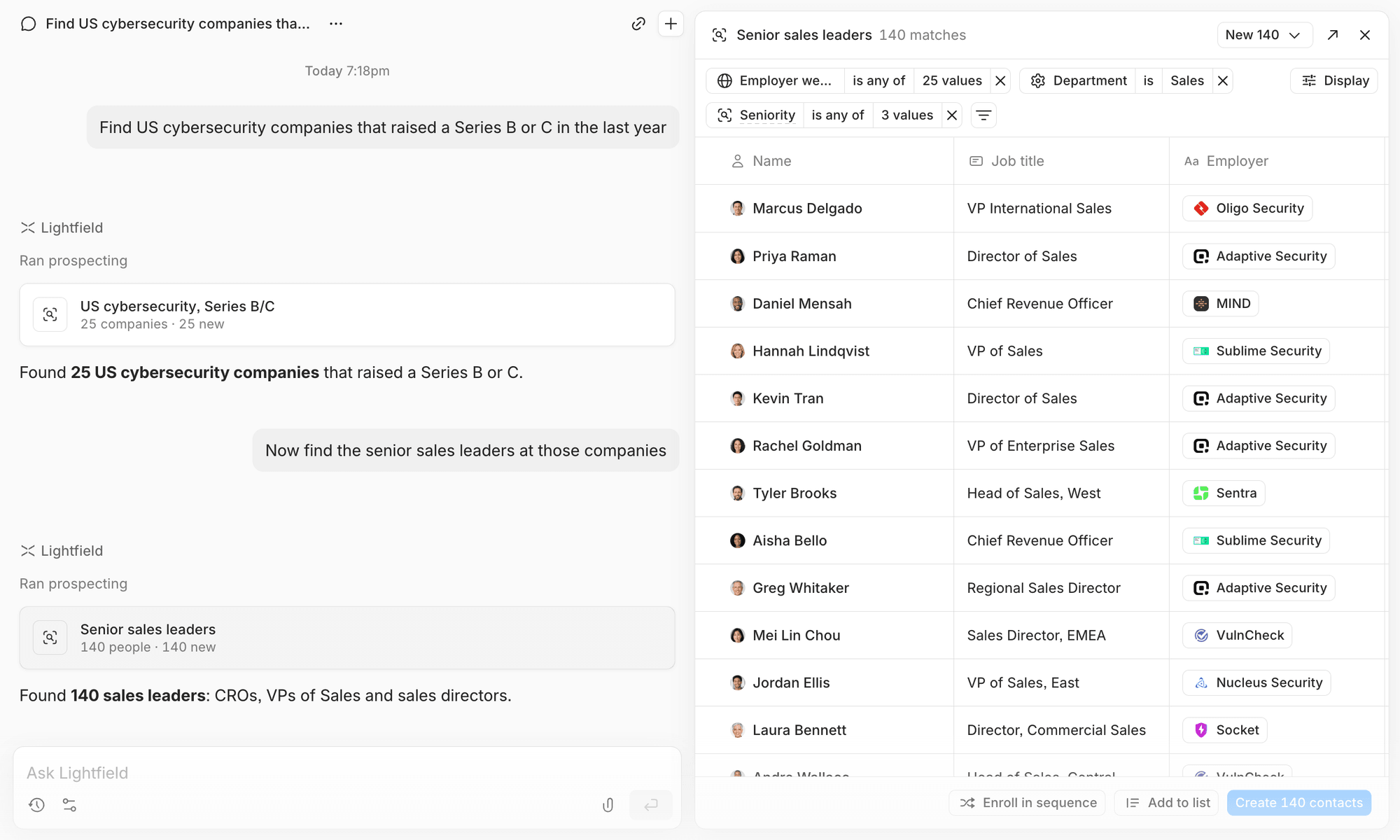
Build prospect lists with the agent
Ask the agent to find prospects, then refine the results by job title, location, or industry before creating contacts or adding them to a list. This makes it much faster to build lists of new people and companies. Available on Growth and Enterprise plans.
Choose a sender when you enroll contacts
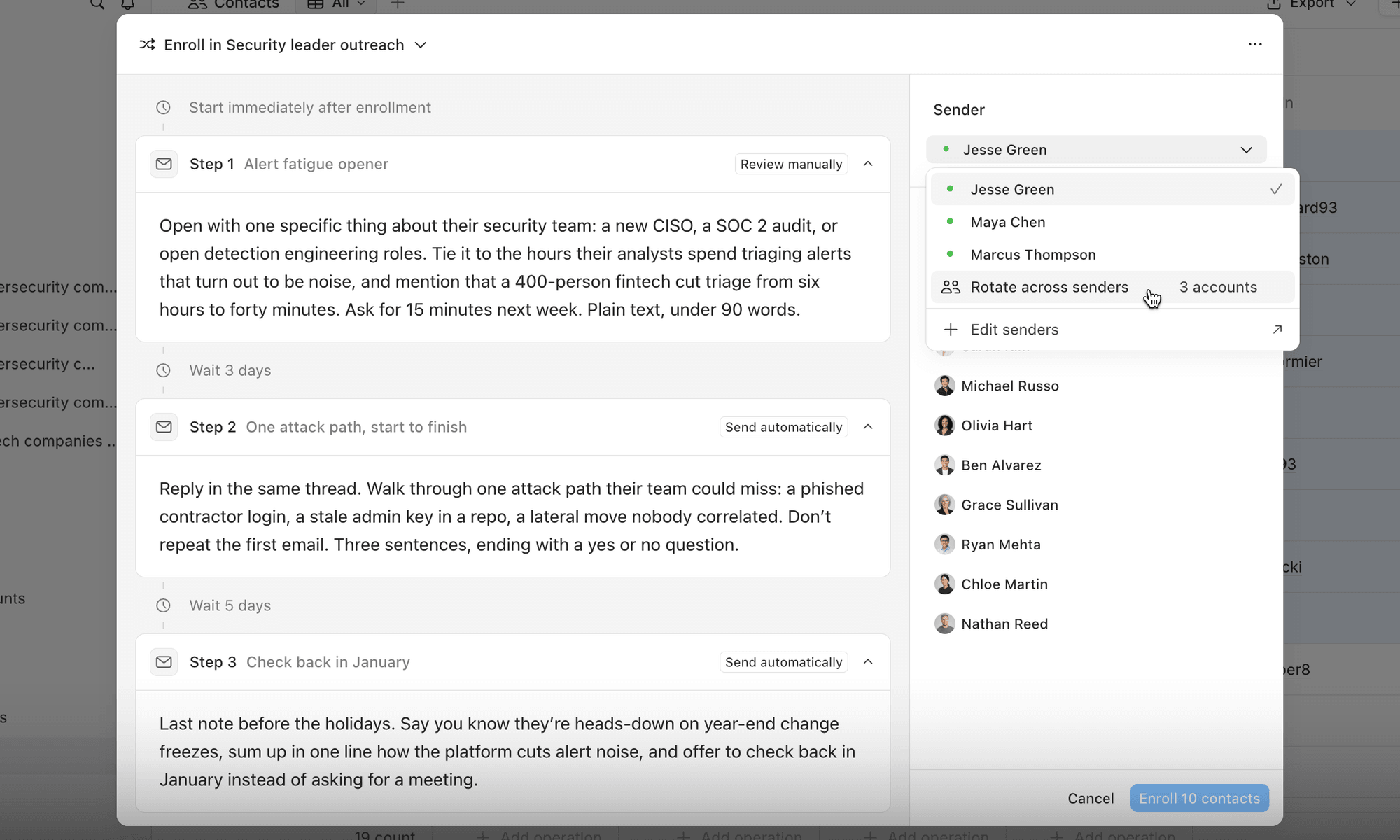
When enrolling contacts in a published sequence, use the sender menu to choose yourself or another workspace member. Choose “any sender on the sequence” to distribute sends across the designated list. Available on Pro, Growth, and Enterprise plans.