What is an AI CRM and how can you tell if you're looking at one?
Lightfield
Quick summary
An AI CRM keeps records current from real interactions and preserves what changed and why. It also understands how your business operates and gives agents controlled tools to act on that history. Most tools calling themselves an AI CRM still need someone to type the underlying data in by hand. That gap decides whether the label is honest.
AI CRMs explained
An AI CRM pulls in your email, calendar, and calls, keeps a history of what changed and why, and lets agents act on that history within limits you set. Plenty of products use the name for something smaller, which is a chat window added to a CRM that a person still types into.
The gap matters more in a CRM than it would elsewhere. When a project tool adds a summarizer, the worst result is a weak ticket summary. "AI CRM" makes a bigger claim: agents can act on your customer data. An agent that writes a follow-up from a stage field nobody has touched since last month is writing to a real customer about a deal that has since changed.
The term came from what teams ask agents to do
Sales teams now ask agents to prepare for meetings, write follow-ups, qualify inbound leads, and answer questions about the pipeline. Each of those jobs depends on knowing what was said to the customer.
A traditional CRM holds a summary of the conversation that someone typed afterwards. Someone reading that CRM can distrust a field they know is stale because they were on the call or know how the rep works. An agent can't do that. It reads "commit" in the stage field and plans around it.
"AI CRM" became the name for a CRM where the agent reads the conversations and their history, and the typed summary is no longer the source.
An AI CRM has four layers
The sections below take the four layers in turn, starting with how information gets into the account.
Capture: conversations write to the account
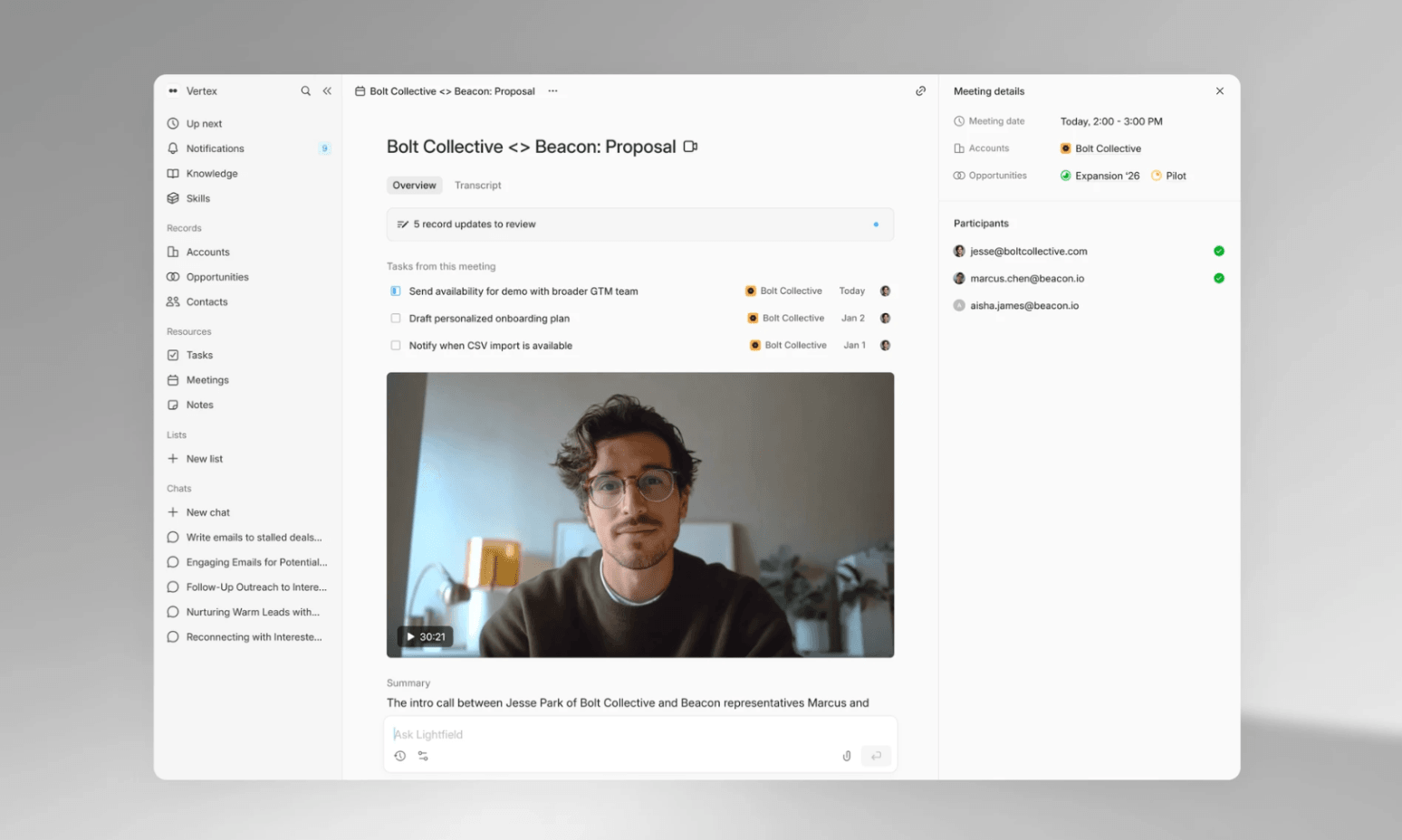
Email, calendar, and calls write to the account without anyone logging them. A call recorder doesn't complete this layer on its own. If the transcript stays in a separate tool, the account still doesn't know the call happened, and someone has to carry the details over.
Structure: each field keeps its history
Picture two versions of one field. The first says "commit." The second shows that the stage moved to commit yesterday, after an email from the CFO. An agent can only reason about the second. An AI CRM keeps what changed, when it changed, and which conversation caused the change.
Process: the team writes down how the business operates
Every company qualifies and prices deals in its own way, and an agent that hasn't been told your way will fall back on a generic one. In an AI CRM, the team writes its process in plain language, and the agent reads it before it acts.
Controlled tools: agents act inside limits you set
An agent should get permissions like a person, and drafting should be a separate permission from sending. For each field, the team should be able to choose whether the agent changes it automatically, proposes a change for a person to accept, or leaves it alone. Customer emails should stay a draft until a person sends them, and every change the agent makes should be logged with its source.
Three generations of products use the name
The products using the name fall into three generations, which differ in where the account data comes from.
Generation one: AI added to a CRM a person still types into
HubSpot and Salesforce started here, as CRMs built for a person to maintain. Both now sell AI that can update deal fields from calls and emails (Breeze in HubSpot, Agentforce in Salesforce). A team turns it on and configures it on top of the CRM they've been maintaining by hand.
Generation two: call recorders
Fathom, Fireflies, Granola, and Circleback capture and summarize calls. The transcript still lives apart from the account, so arep decides what to copy across and when. The guide on automating CRM data entry from sales calls explains how to get call details into the account without a rep copying them over.
Generation three: the CRM that agents work from
Conversations write to the account, and agents act on it. Products in this generation differ in how open they are. Reevo keeps sequences and scoring inside Reevo, and it ships a dialer. We build Lightfield, which is the open version: the API and MCP come with the Starter plan, so an agent you already use can read and write to the same accounts.
Lightfield captures from Gmail, Outlook, Zoom, Google Meet, and Teams meeting recordings. Connecting a mailbox syncs 30 days of email and calendar history, and a workspace can extend that to two years. Slack syncs on Pro and above, and LinkedIn is narrower still: Lightfield pulls DM history only for contacts already enrolled in a LinkedIn sequence.
Who needs an AI CRM
The deciding factor is conversation volume. When a team has more customer conversations in a week than it can log by hand, the CRM falls behind. That usually describes a company between seed and Series B, though the stage is a rough guide. The person who feels it is a founder, a first AE, or whoever runs revenue operations.
A spreadsheet is enough when volume is low. The setup that commonly fails sits in between: a light HubSpot or Pipedrive, a call recorder, and a sequencer. It holds together until someone has to remember which tool holds the current answer.
Five things to check before you believe the label
Each row below pairs a question to ask a vendor with the answer an AI CRM gives. The guide on choosing an AI CRM turns these checks into a step-by-step evaluation, and the best AI CRM tools roundup lists the seven worth a look.
What to check | What an AI CRM does |
How accounts get populated | Email, calendar, and calls write to the account, and nobody logs them. |
What the AI can see | The conversations and the history of each field, including the conversation that caused a change. |
What the AI can do | Updates fields and drafts email under permissions the team sets. |
Consistency | Follows the process the team wrote down in plain language. |
Your own agents | An outside agent can read and write through an API or MCP on the plan you'd buy. |
You can run most of this table with one question. Connect your own email and calls, pick an account, and ask what objection came up on the last call. An AI CRM answers from the call. A CRM with a chat window answers from whatever someone typed, or it has no answer.
You can run most of this table with one request. Connect your own email and calls, pick an account, and ask what objection came up on the last call. An AI CRM answers from the call. A CRM with a chat window answers from whatever someone typed, or has no answer.
HubSpot and Salesforce remain reasonable choices when mature marketing automation or the wider suite is what you are buying for.
Test it on your own calls
Turning on your current CRM's AI features is easy to reverse. Moving your records is the harder decision, so run the one-request test on your own calls before you choose.
A demo lets you run that comparison on your own data. Book a demo and bring your own calls.
Common questions about AI CRMs
1. Is HubSpot an AI CRM?HubSpot is adding AI to a CRM that people fill in. Its Breeze AI includes a meeting notetaker that recommends property updates after a call for a rep to approve. Whether your HubSpot behaves like an AI CRM depends on which of those features you have turned on. HubSpot is stronger for marketing automation and service workflows, and it is a reasonable choice when those are the main job.
2. Is Salesforce an AI CRM?
Salesforce's Agentforce can update opportunity fields such as stage and next step from calls, emails, and meetings, either automatically or as suggestions. The result depends on how much of the supporting setup a team has done.
3. How is an AI CRM different from a CRM with a chat window?
A chat window answers from whatever is already in the CRM. An AI CRM fills the account from email, calendar, and calls first, so the answer comes from the conversation. The one-request test above separates the two.
4. Do I need to replace my CRM to get one?
Not always. A team on Salesforce or HubSpot can turn on that vendor's AI first and check whether the fields stay current without anyone typing. If the CRM still needs a person to maintain it, switching is the next step. In Lightfield, you export companies, contacts, and deals from the old CRM and import them. Email history comes from connecting each mailbox, which is a separate step from the import. Emails stored only in the old CRM need a separate assessment.
5. What data does an AI CRM need?
It needs email, calendar, and calls. It also needs fields that each mean one thing, because an agent can't tell which of three meanings a status column carries on a given account. The guide to CRM data cleansing for AI agents covers how to clean up existing fields.
6. What is the smallest team that should use one?
There is no minimum headcount. We think a team qualifies on conversation volume. Lightfield's Starter plan is $89 per user per month, billed monthly, for up to 3 seats, and it includes a 14-day trial.